Bitcoin
Overview
Use Collab.Land’s Token-Gating Rules in the Command Center to gate Discord roles on Bitcoin STAMPS and Ordinals NFTs. The sections below walk through setup for each type.
Bitcoin STAMPS
How to Get the STAMPS Creator Address via Stampchain
Accessing Stampchain:
- Navigate to the Stampchain website. This is where you can view all the stamps data and specifications.
- Stampchain allows you to search by various parameters including Stamp ID, Creator, transaction, CPI, etc.
Searching for Your Stamp:
- If you know your Stamp ID (or IDs if you have multiple), enter it in the search bar.
- Once you initiate the search, you should see the relevant stamp details, including the creator's information.
How to Create a Bitcoin STAMPS TGR
To configure a STAMPS TGR, follow these steps:
Log in to the Command Center at https://cc.collab.land using Discord.
From the left panel, select the server you would like to create the TGR in. Then, click on "TGRs".
Click the "+ Select Role" button and choose the Discord role you would like to use for your TGR.
- Write an informative description for the TGR.
Set the
Chain Typeto "Bitcoin".Set the
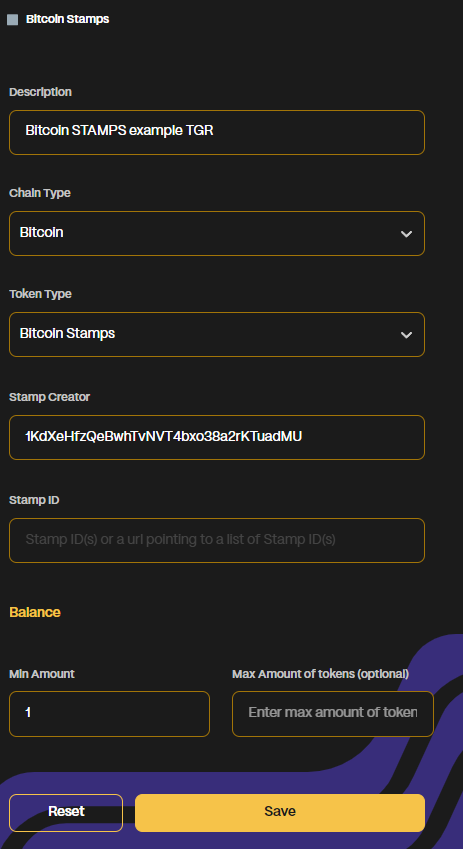
Token Typeas "Bitcoin Stamps".Inputs for the TGR: Fill in one or both of the fields 'Stamp Creator' and 'Stamp ID'.
You can input both or choose only one. However, if both fields are left empty, you'll get an error.
Inputting the Stamp Creator Address will consider all stamps made by that particular creator.
Set the Minimum amount of tokens needed to gain the role.
- Optional: Set a Maximum number of tokens.
Click "Save".
The final configuration of a Stamps TGR should look like this:
Bitcoin Ordinals
How to Find Ordinals Inscription Numbers and Collection Names
Inscription number range (recommended):
- Use this if your collection is not listed on Ordiscan, or if you want the most reliable setup.
- In the TGR, set From to the starting inscription number and To to the ending inscription number.
- On Ordinals marketplaces such as Satflow, search for your collection, then sort by Inscription: Low to High to find the starting number and Inscription: High to Low to find the ending number.
Collection name (Ordiscan only):
- Use this only if your collection is indexed on Ordiscan.
- Enter the Collection Name exactly as it appears there. If your collection is not listed, use inscription numbers instead.
How to Create a Bitcoin Ordinals TGR
To configure a Bitcoin Ordinals TGR, follow these steps:
Log in to the Command Center at https://cc.collab.land using Discord.
From the left panel, select the server you would like to create the TGR in. Then, click on "TGRs".
Click the "+ Select Role" button and choose the Discord role you would like to use for your TGR.
- Write an informative description for the TGR.
Set the
Chain Typeto "Bitcoin".Set the
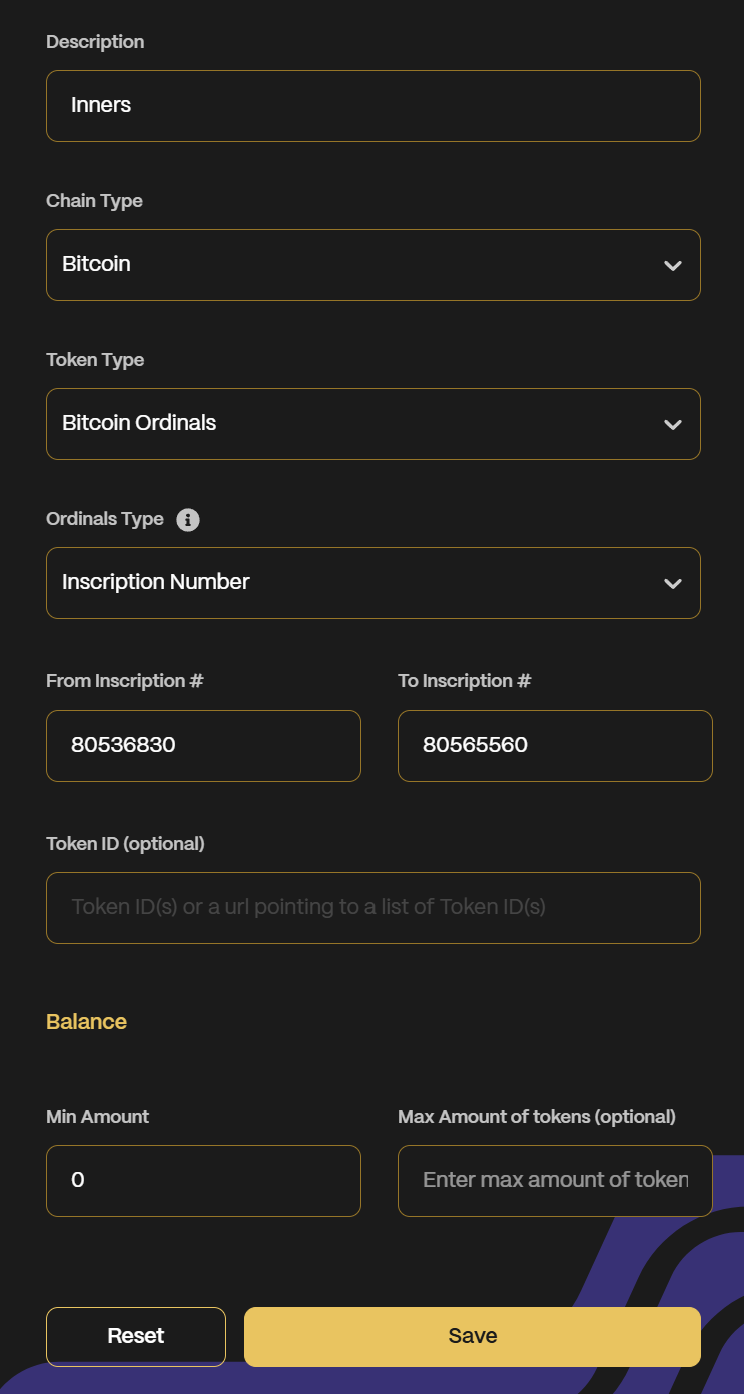
Token Typeas "Bitcoin Ordinals".Holder identification: Apply one of the methods in How to Find Ordinals Inscription Numbers and Collection Names: either the inscription From / To range or the Ordiscan Collection Name.
Set the Minimum amount of tokens needed to gain the role.
- Optional: Set a Maximum number of tokens.
Click "Save".
If your Bitcoin Ordinals TGR was created before March 2026, it may no longer work as expected. Changes in third-party infrastructure (including Magic Eden deprecating Bitcoin support, which previously powered collection-based verification) mean you should update your TGR to use inscription number ranges (recommended) or Ordiscan collections (if available).
Best practice
If you are unsure which identification method to use, prefer inscription number ranges. They are the most reliable and future-proof setup.
The final configuration of an Ordinals TGR should look like this: